AutoTrend is a Chrome extension that turns the chart you are on into a trade Brief: Bias · Invalidation · Levels. Exact data on TradingView and DexScreener. Runs entirely on your device.
Not financial advice. A second pair of eyes on your chart, not a signal service.
Most tools draw a hundred lines and leave the thinking to you. AutoTrend starts with the decision.
Bias with how much of the evidence agrees, the price where the read is wrong, the two or three levels that matter, and a two-line read. Everything else is one click away.
A pattern that has played out stops talking. No stale measured moves, no targets at negative prices, and a red invalidation line that is always drawn at its exact price.
Analyse the weekly, then the 4H: AutoTrend tells you when the lower timeframe is fighting the bigger trend — and names the cycle highs and lows that matter.
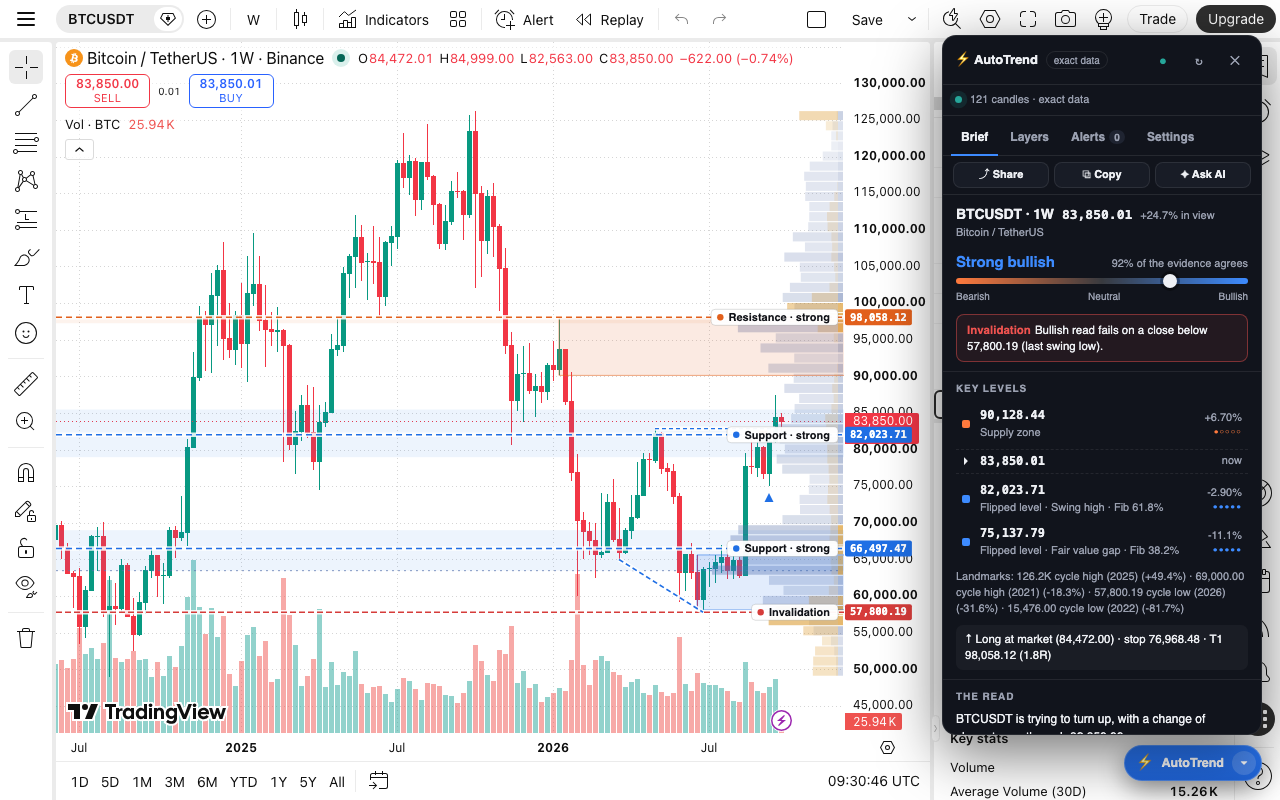
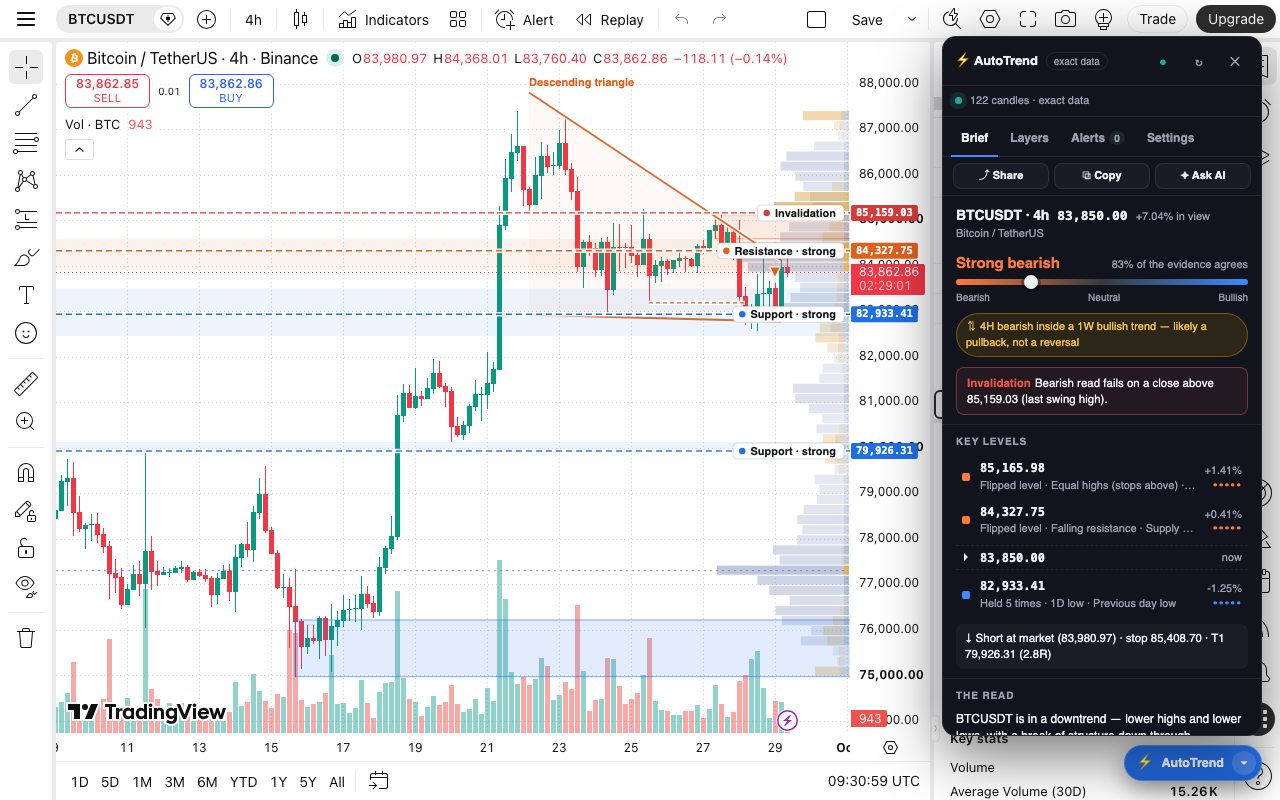
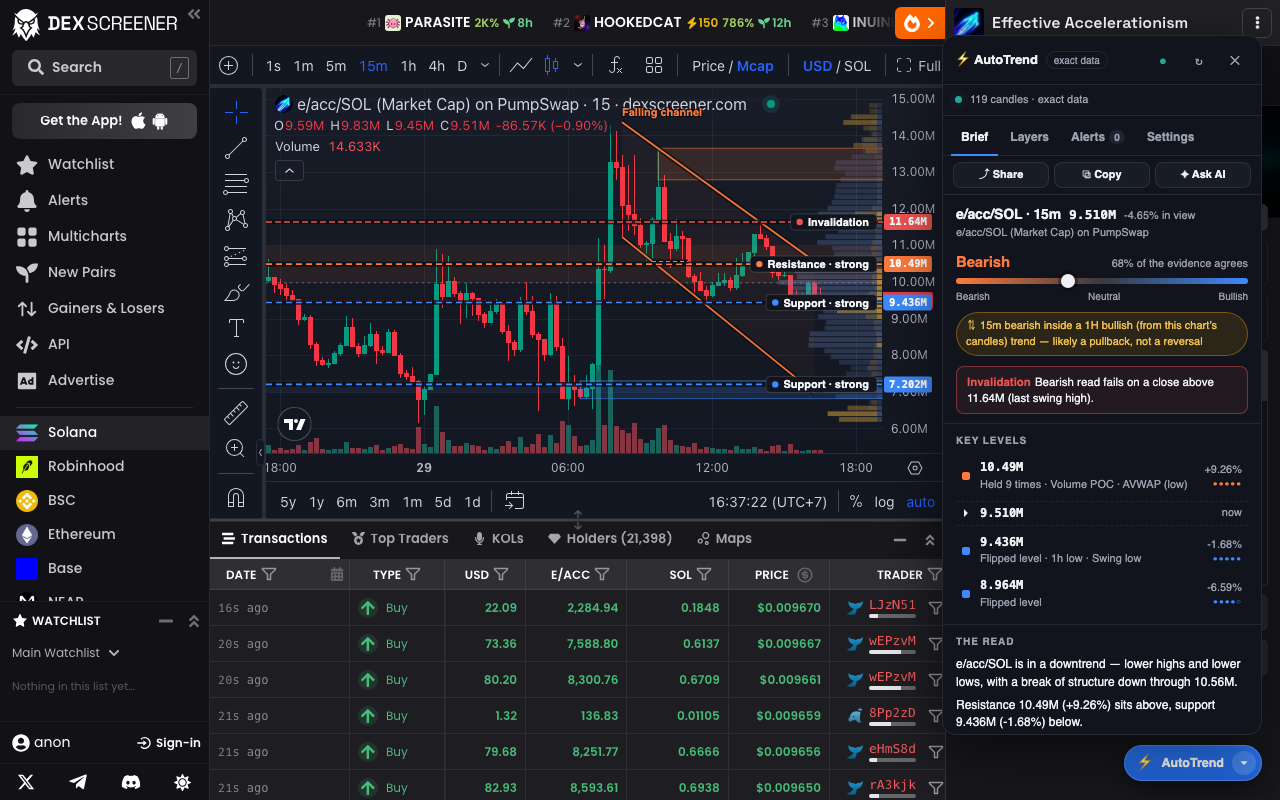
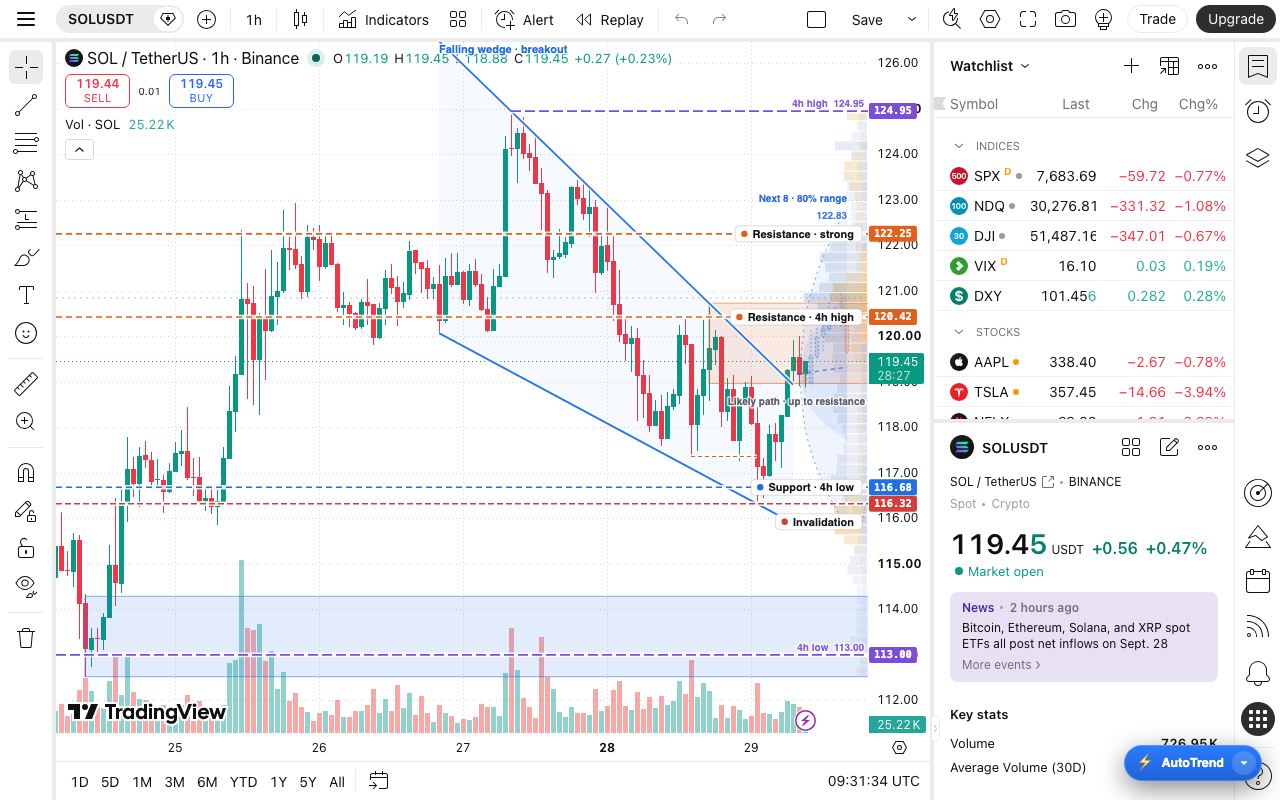
Exact data where the chart exposes its candles; everywhere else it reads the chart from the screen.
● exact data ● read from the screen
We are letting in 15–30 traders first. Tell us how you trade; if it is a fit you will get a private install link and a seat in the testers' chat. Free for testers.
No. AutoTrend derives levels, structure and a bias mechanically from the chart. It is a second pair of eyes, not a signal service. Size positions so the invalidation is a loss you accept.
None. Charts are analysed on your device. The only exception is the optional "Ask AI" feature, which sends the chart to Anthropic using your own API key, only when you press it.
Chrome. Other Chromium browsers (Brave, Edge, Arc) usually run Chrome extensions, but we have not tested them yet — tell us if you try.
Free for beta testers. There will be a paid Pro tier later; active testers will be looked after.
Use it on your own charts for two weeks, and tell us when a read is wrong, confusing or missing something. A two-minute feedback form and a small testers' chat — that is it.